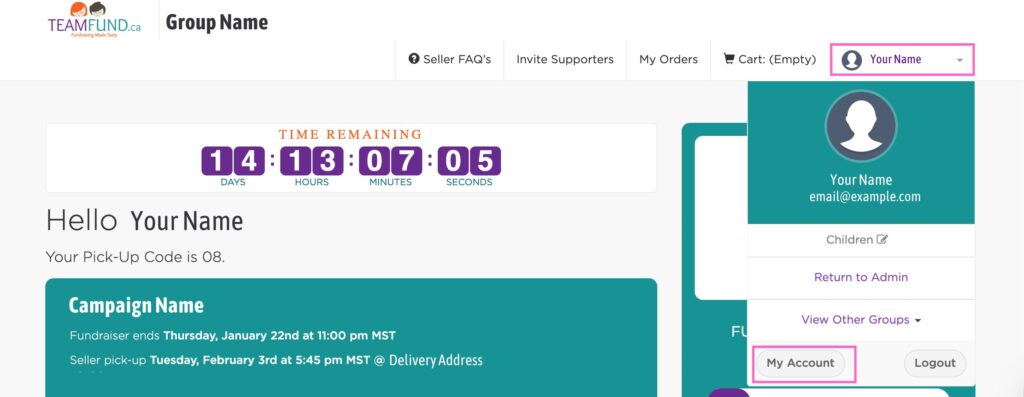
- Log in to your Seller Dashboard
- Click your account icon (top right) and select My Account
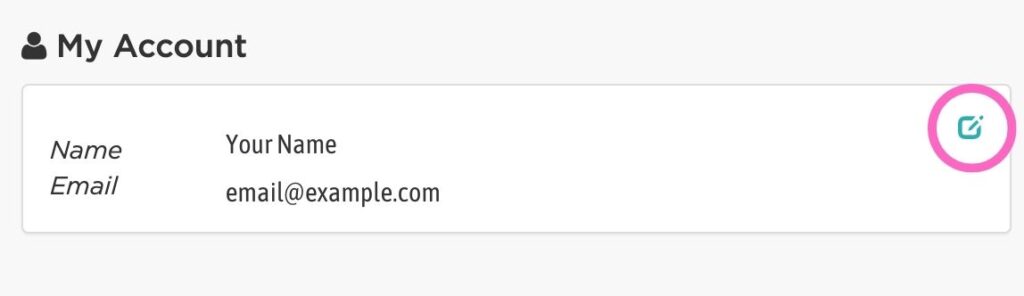
- Click the edit icon
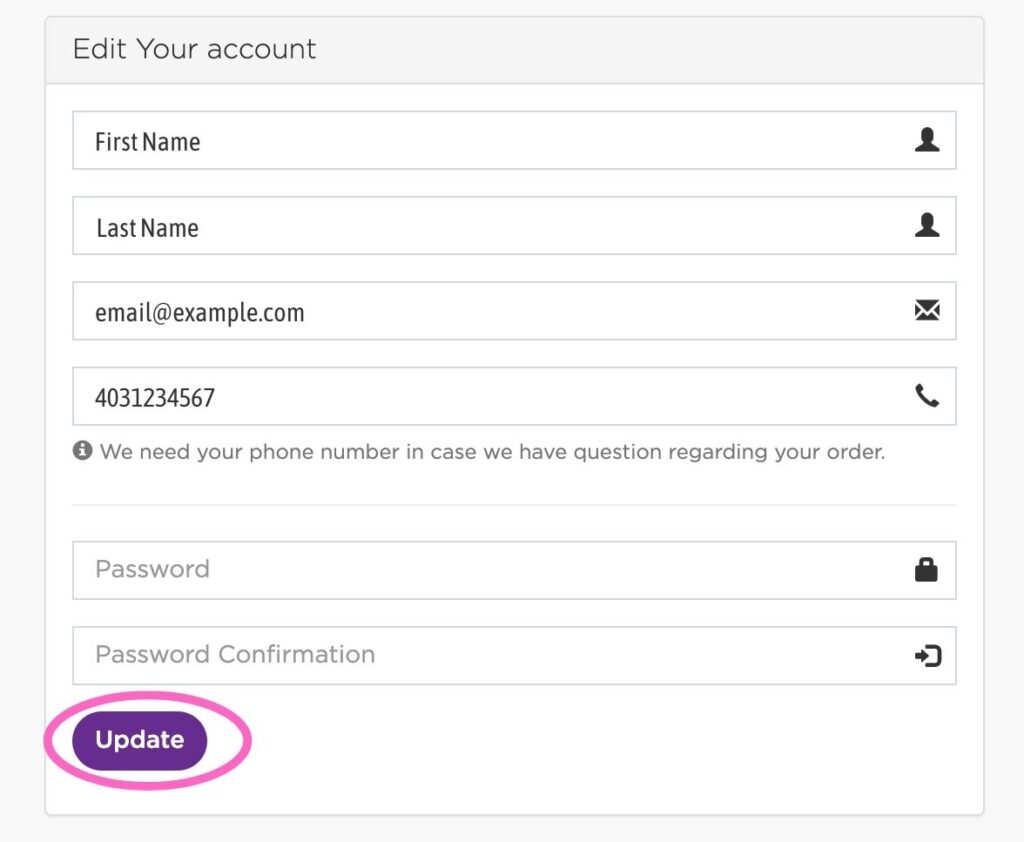
- You will see your name and email: Click into the box to edit
- Select Update to save your changes
NOTE: For safety and security reasons, we do not display the children’s names anywhere. Adding names under “Children” is used for organizational purposes only.
Want your campaign page to show your child’s name instead of yours? Update the Name field in My Account using the above steps.
Need to add or edit a child’s name? Visit this FAQ