
Your TeamFund Delivery, Distribution and Seller Pick-up Day Process
A step-by-step guide to make delivery day smooth, fast, and stress-free
🎉 You made it! All of your hard work has paid off — it’s time to prepare for the big day when people pick up their orders.
Delivery, Distribution, and Seller Pick-Up refer to the day your sellers collect their orders. Your role is to locate and meet the driver, verify your inventory (products and quantity), assemble orders, and distribute them efficiently so products stay cold and sellers can get their food home ASAP.
The TeamFund system is designed to ensure all goes well, quickly, and efficiently so you can get your profits.
📋 Before Delivery Day | Print Your Final Report & Gather Volunteers
⚠️ If you are unable to be at the delivery, send someone you trust who understands the process
1. Print Your Final Report
There are two ways to access your Final Report
- We will send you an email the day after your campaign closes with your Final Report → search Organizer Report in your inbox

- You can also find your final report in your dashboard by clicking “Final Report” and then “Download”
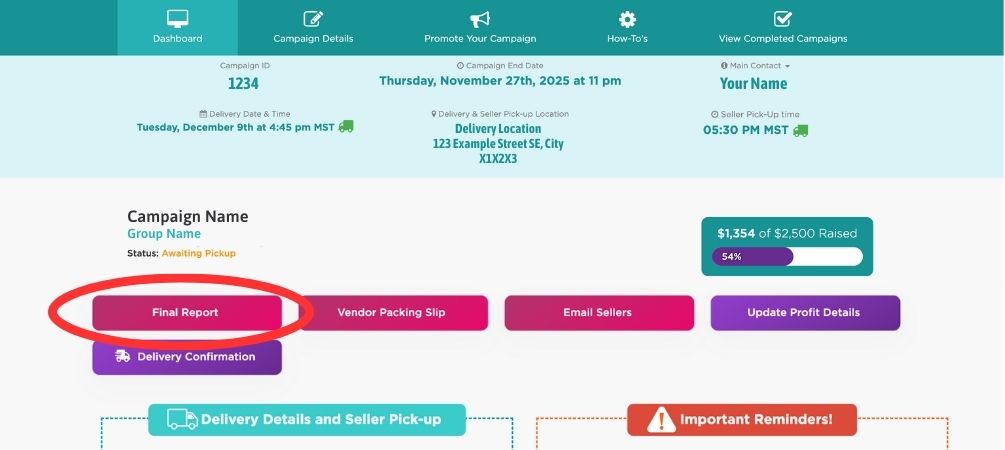
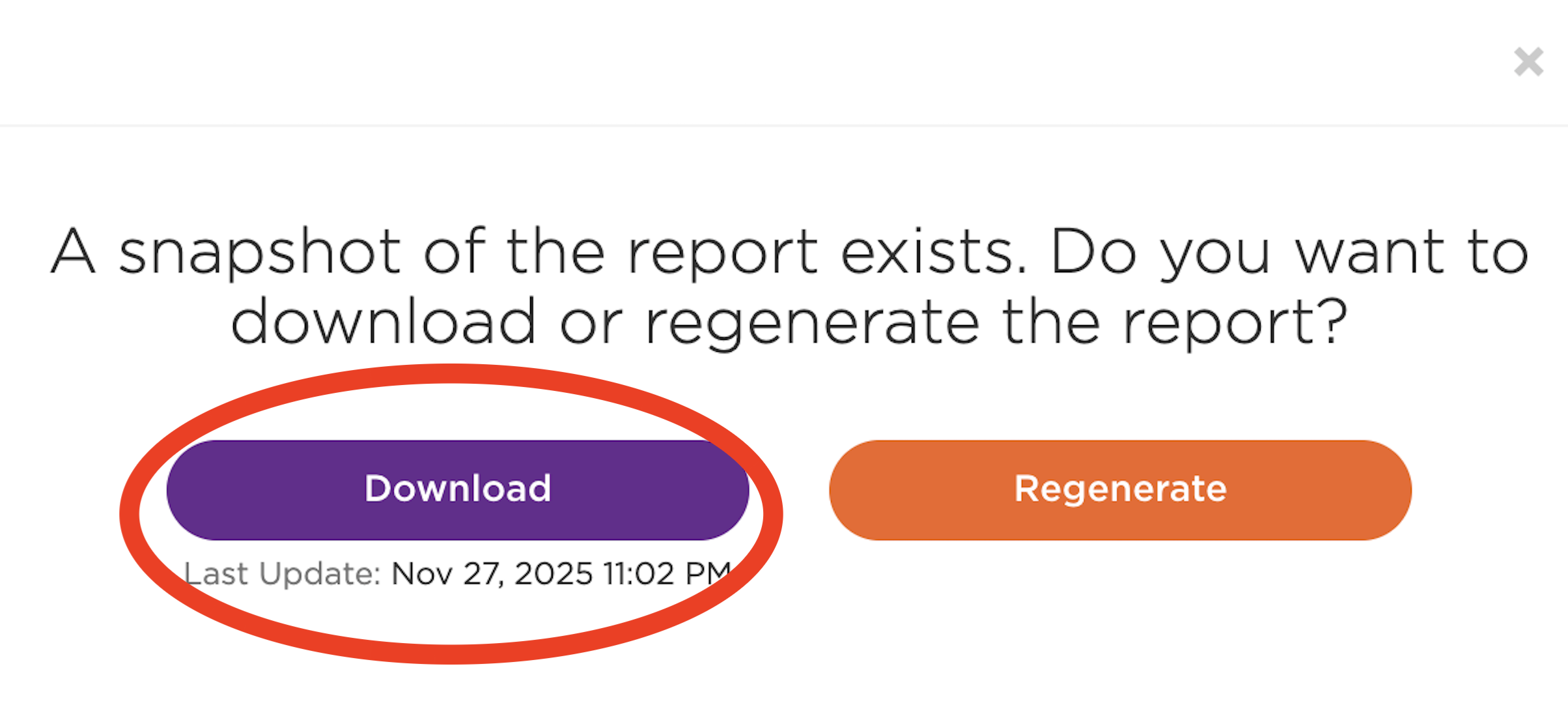
⚠️ Print this document single-sided, as it will contain summaries of each order.
⚠️ Staple seller summaries that are more than one page long.
2. Gather Volunteers
Volunteers help unload, organize, and assemble orders
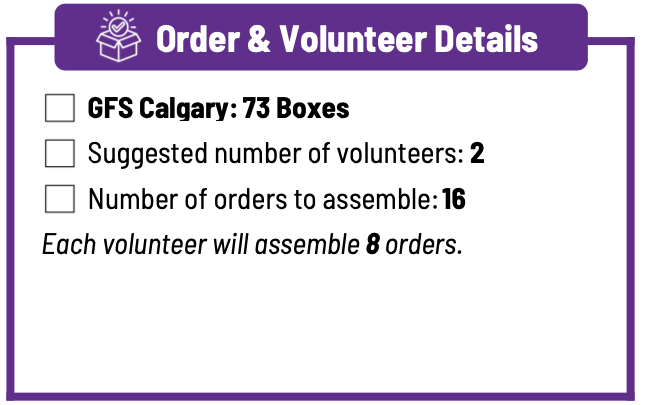
You can find the number of suggested volunteers on your dashboard and in the final report.
- On the first page of your Final Report:
- AND in your dashboard:
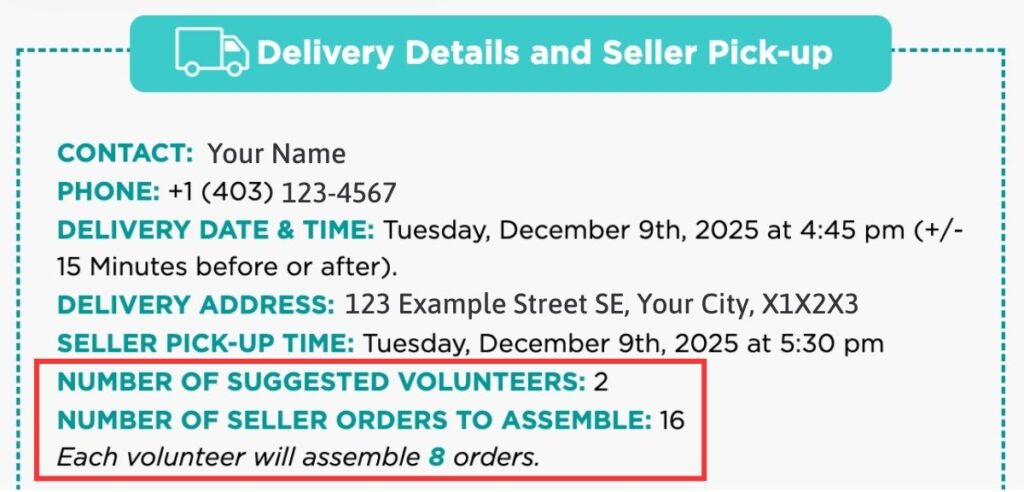
⚠️ Volunteers should plan to be there 1-2 hours. It is NOT ideal to have volunteers come and go (that’s when mistakes happen!)
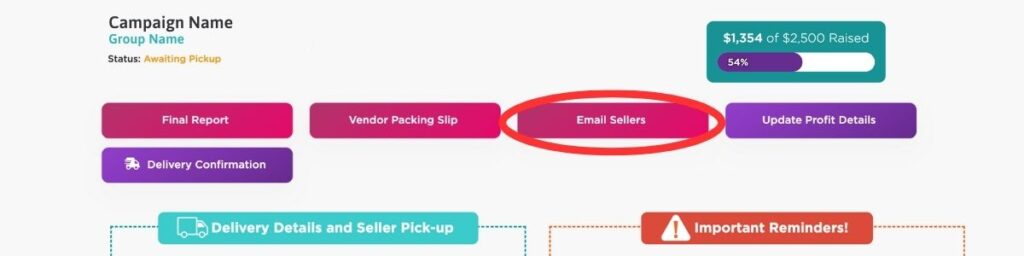
Want to email your sellers ahead of time to remind them of your delivery or request their help as volunteers? Click the “Email Sellers” button inside your Dashboard.
3. Additional Supplies
- Cellphone should be on and ready so the driver can locate you
- A Bin or Box with markers, pens, and a folder for your reports
- A Clipboard for your organizer summary and packing slip so you can check off items during inventory and sellers as they pick up orders
- (optional) A Table for the seller pick-up area
- (optional) A cart or dolly if you wish to move orders inside
⚠️Be sure to Dress Accordingly: It can rain or snow (-30 °C to +30°C)
📞 Pickup Process Call | We will call you 2-4 days before delivery
Log in to Your Dashboard to view all of the key information for your delivery.
📞 TeamFund will call you 2-4 days before delivery to review Your Delivery details & review your Seller Pick-Up to answer any questions.
If you miss the call, we will:
- Leave a voicemail at the number on file
- Send an email with instructions and a link to this page
⚠️ Missed the Call? Schedule a Pickup Process Call
Once you enter the “Awaiting Pickup” Status, your dashboard should look like this:
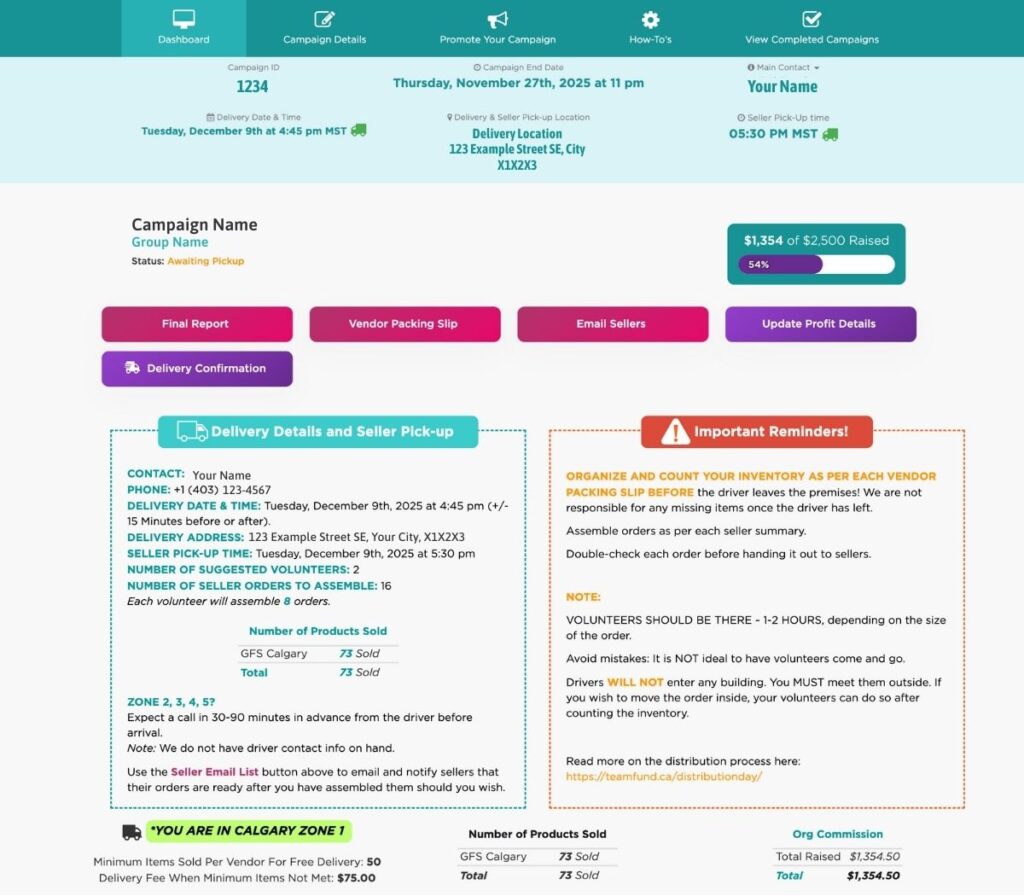
⚠️ Screenshots will be provided throughout this guide to help you locate important information.
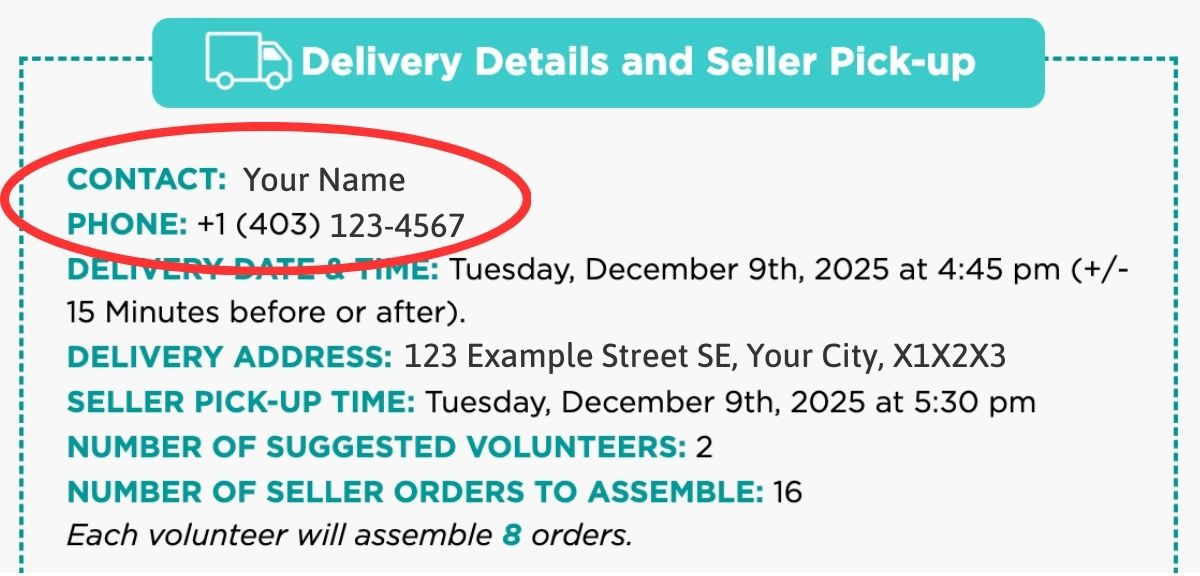
How to find your phone number on file:
🚚 Step 1: Locate and Meet the Driver | At your confirmed delivery window & location
TeamFund will deliver your entire order to your pre-determined location and agreed-upon date and time.
Delivery Windows
- Zone 1 (Calgary, Edmonton, Winnipeg, Amherst): 30 minute delivery window
- Zone 2-5 (Other Regions): 3-8 hour delivery window – Driver or sales team will call ahead of time to narrow down your delivery window.
- Your Delivery Zone is on your Dashboard and our Locations Page
⚠️ We do our best to ensure everyone in Zone 2-5 receives a call. In rare cases, due to situations outside our control (weather, road conditions, truck issues, service dead zones) the call may not come through. If you do not get a call and your delivery window has passed, you can email us at info@teamfund.ca or text us at 1(587)-850-0791 – we are here to help.
⚠️ Have your Cellphone ON and ready in case the driver needs assistance locating you
How to find your delivery window and location:
- On the first page of your Final Report:
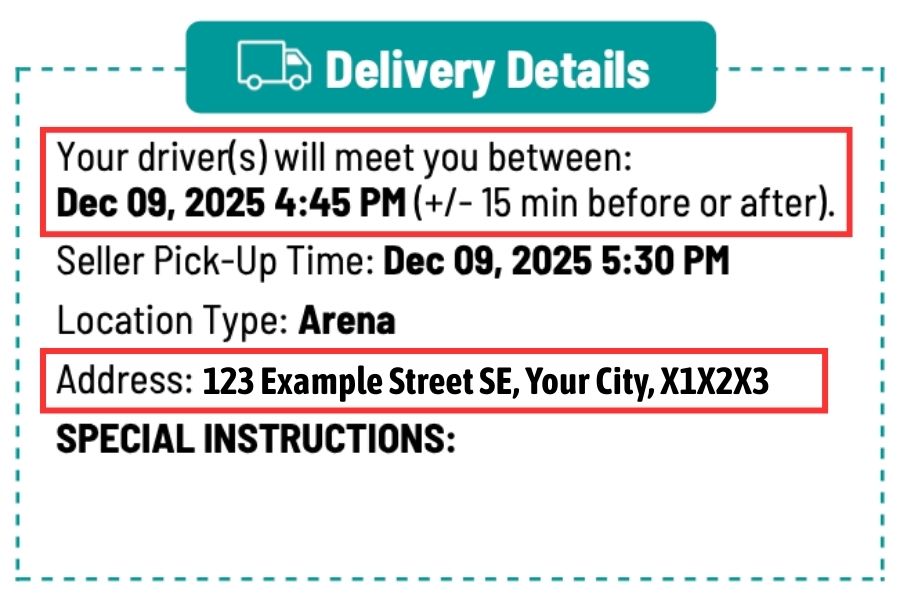
- On your Organizer Dashboard:
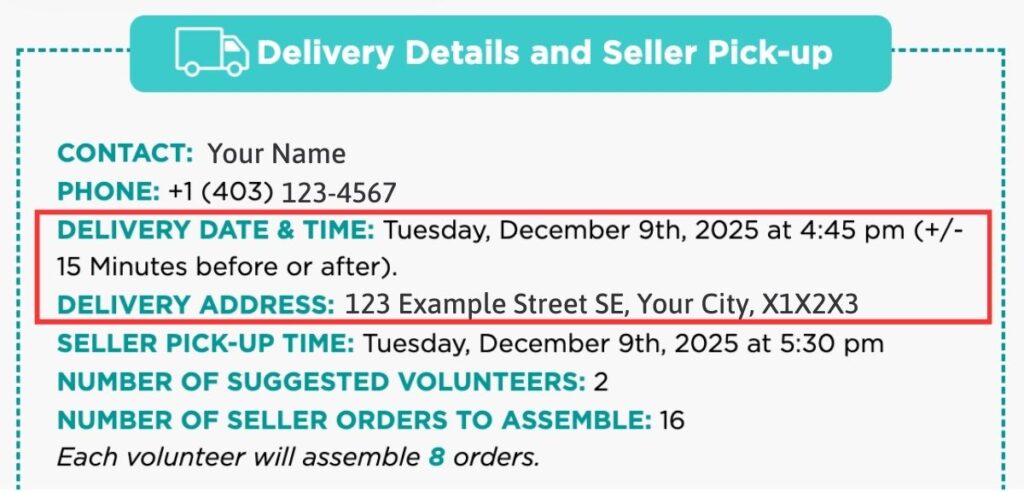
⚠️ Drivers cannot enter buildings due to insurance, equipment, and restrictions. Outdoor drop-off only. They are not responsible for entering buildings or facilities.
The driver will meet you on-site with the same packing slip as you have. They will arrive about one hour before seller pick-up time to unload products.
⚠️ If you want the driver to drop off at a specific location (i.e. West side, back of the building)make sure to check other areas for the truck if you do not see it at your preferred spot. You may need to flag them down to tell them where you would like them to park:
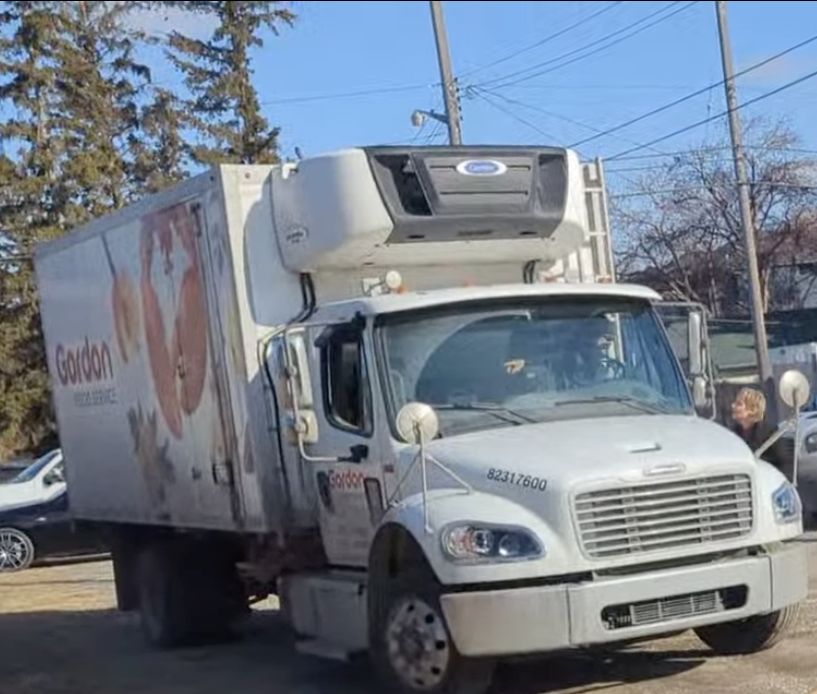
⚠️ NOTE: Not every space is accessible by our larger trucks. Depending on the truck designated for your delivery, there may be restrictions to where they can stop due to tight spaces. We are not in control of the truck size on any given day.
Trucks can range from a small van to a large 18 ft. truck:
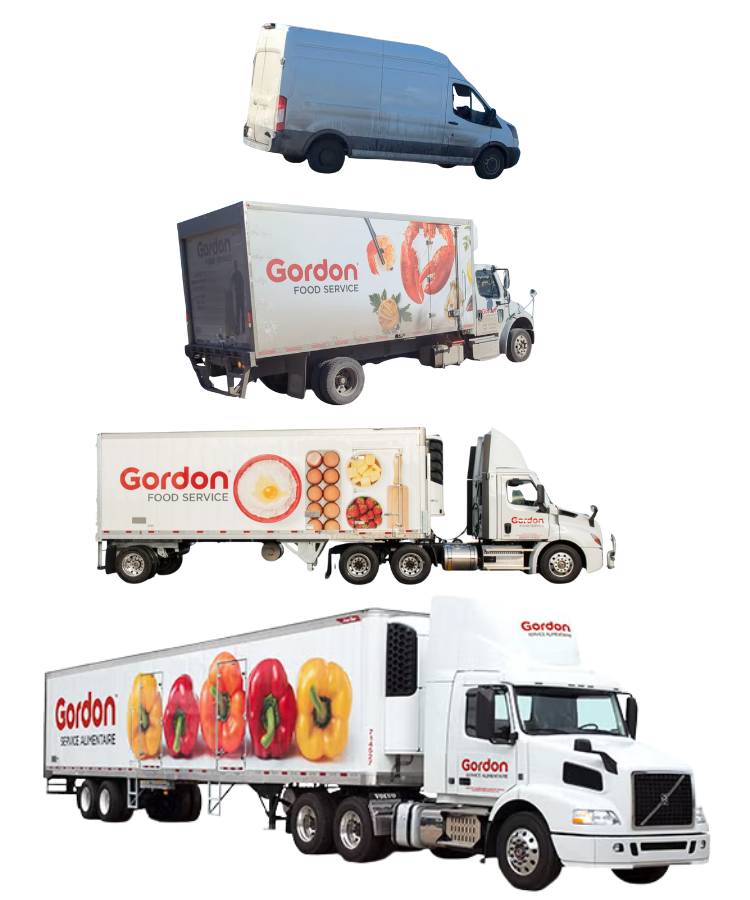
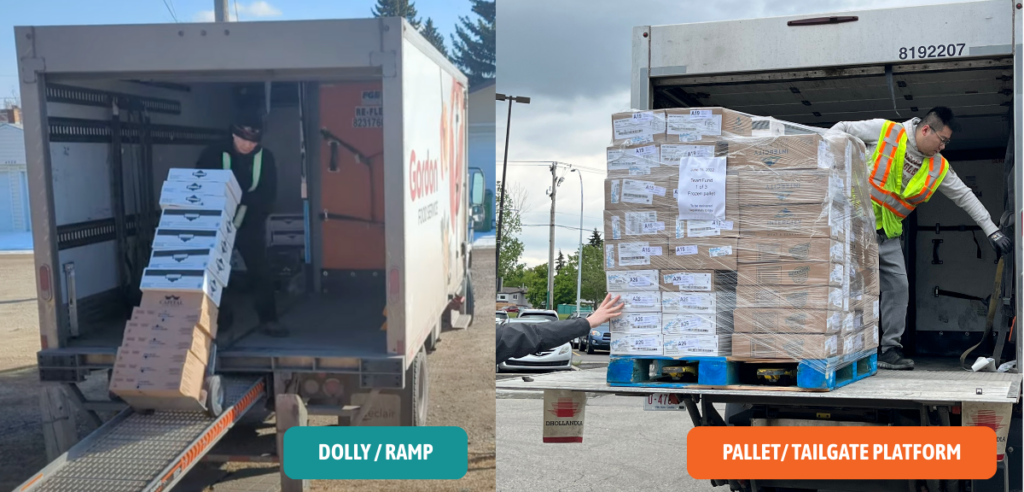
Depending on the size of your order and the type of truck, they may bring orders down a ramp with a dolly or on a pallet with a mechanical tailgate that lowers:
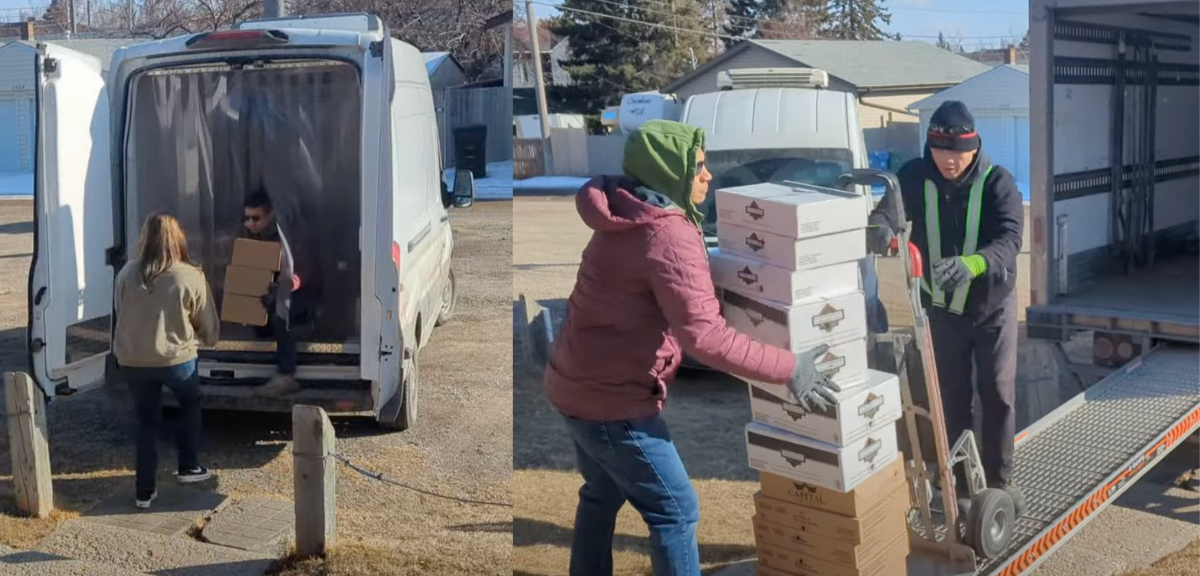
*For smaller vans (mostly used for local vendors) they may pass orders to your volunteers from the back.
During that time, you may start to inventory products to confirm before they leave.
*You are welcome to move items inside with your volunteers, if you wish. We strongly suggest doing pick-up outside for safety, ease, and less work.
⚠️ All orders are considered final once the driver leaves. Count your inventory (see next step) before they leave!!If something is missing, select “No” in your QR code questionnaire, notify the driver, and inform TeamFund or we cannot replace it.
📦 Step 2: Inventory Vendor Products | 5-15 minutes
⚠️ All orders are considered final once the driver leaves. Count your inventory before they leave!!If something is missing, select “No” in your QR code questionnaire (see next step),notify the driver, and inform TeamFund or we cannot replace it.
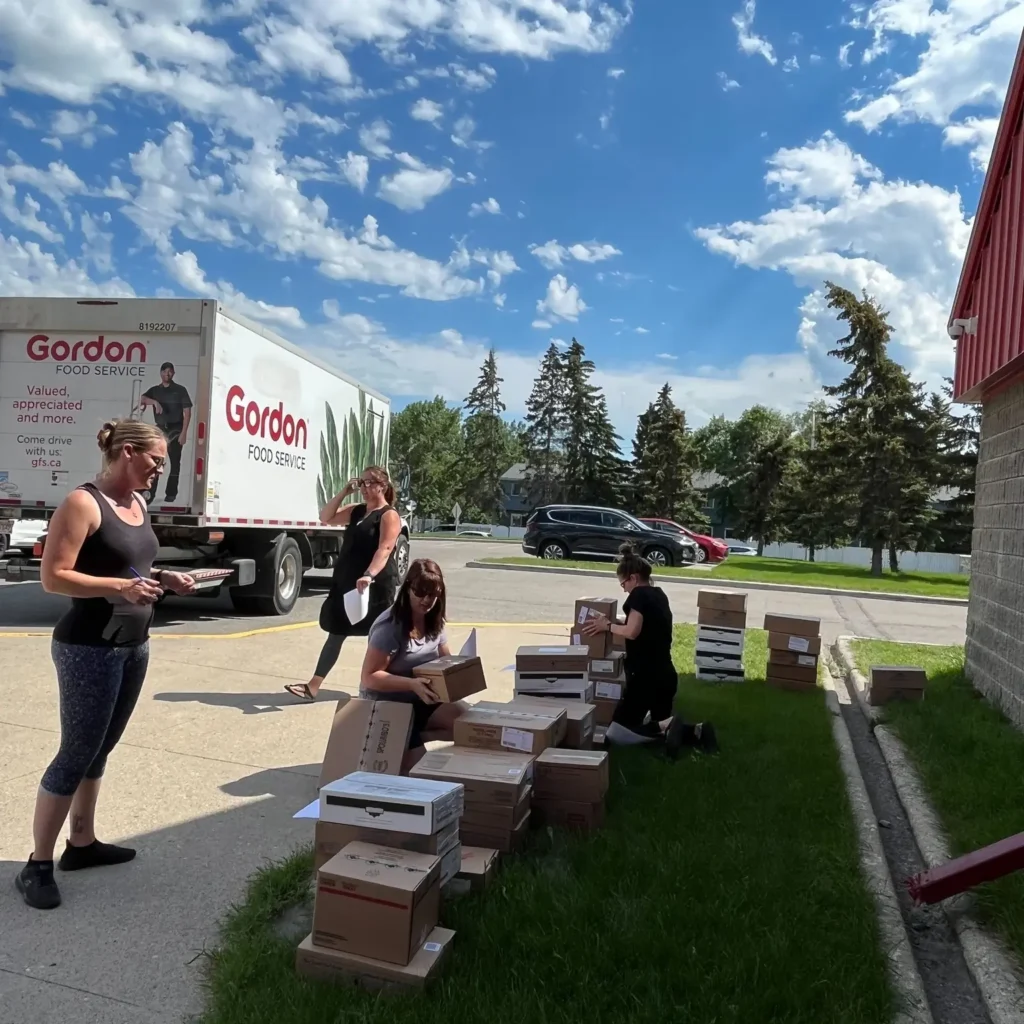
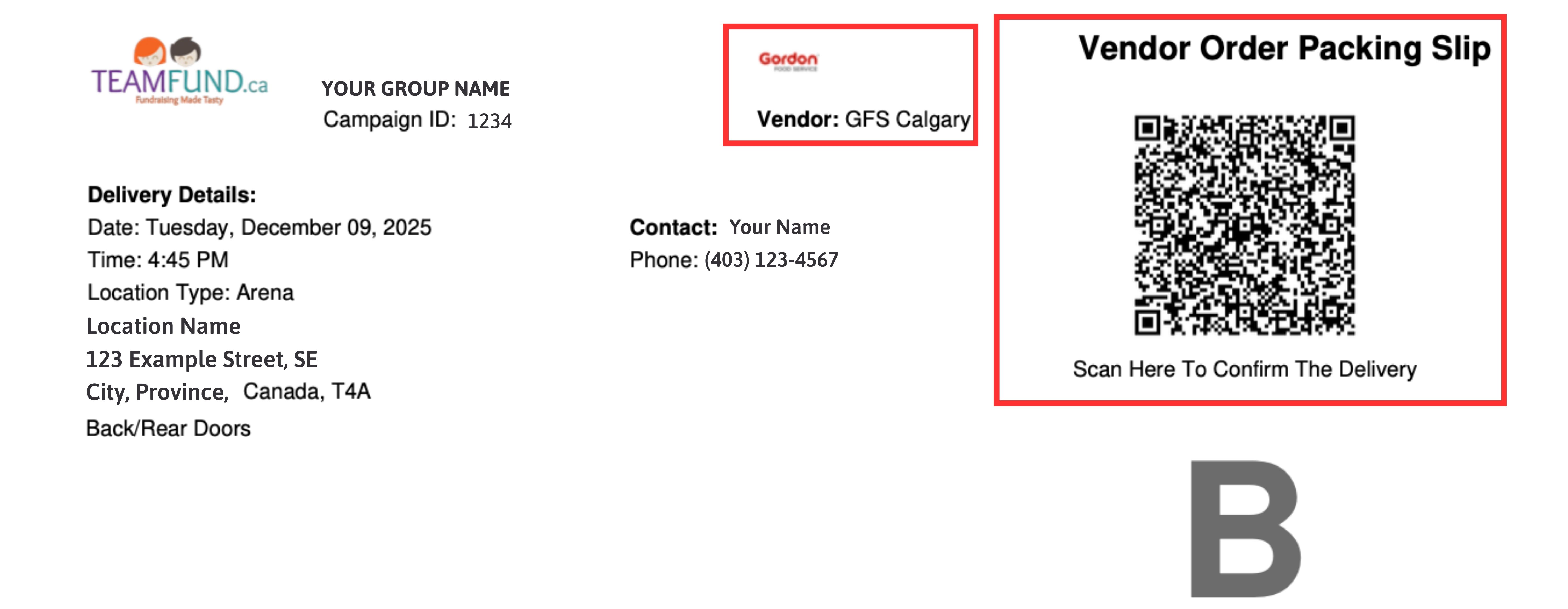
As the vendor unloads from the truck, you and your volunteers build inventory piles to count product and ensure you get everything you need (refer to Packing Slip B)
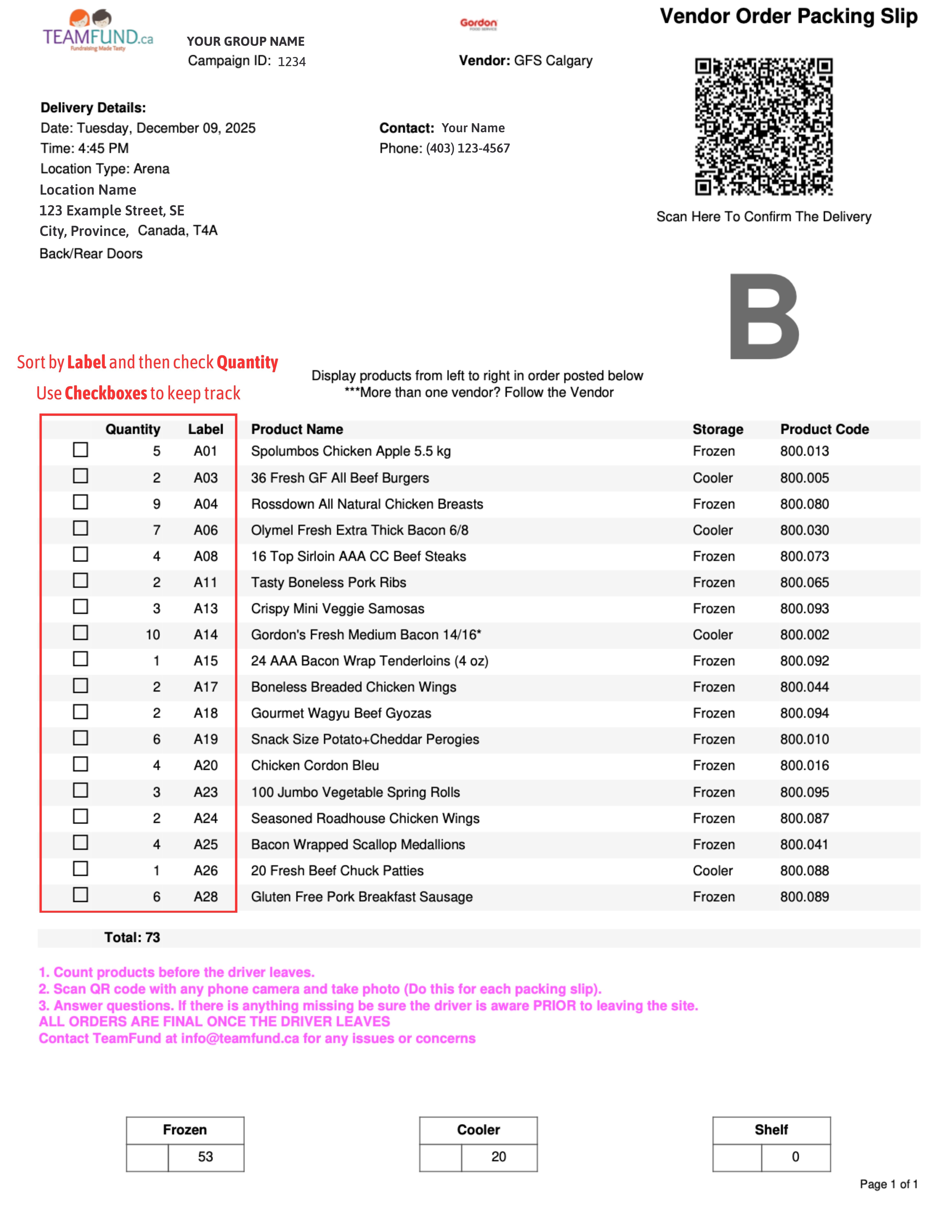
1. Use Vendor Packing Slip B to organize your product in order of labels (see left side for Labels and Quantity)
2. Build and stack products in rows and columns based on each label (A01, A02, A03…)
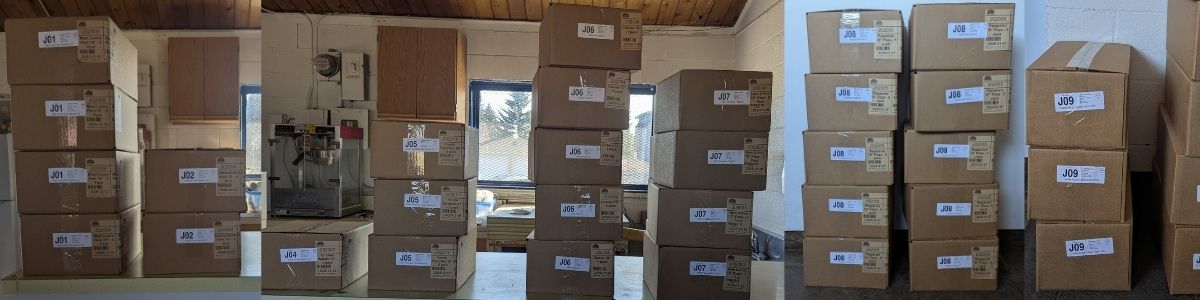
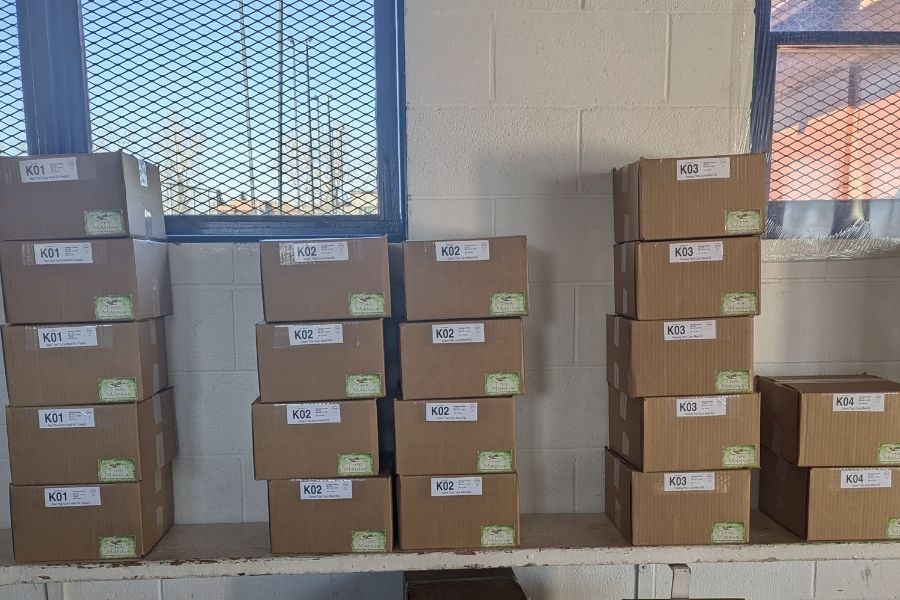
3. Count all the boxes and check them off using the checkboxes on Packing Slip B
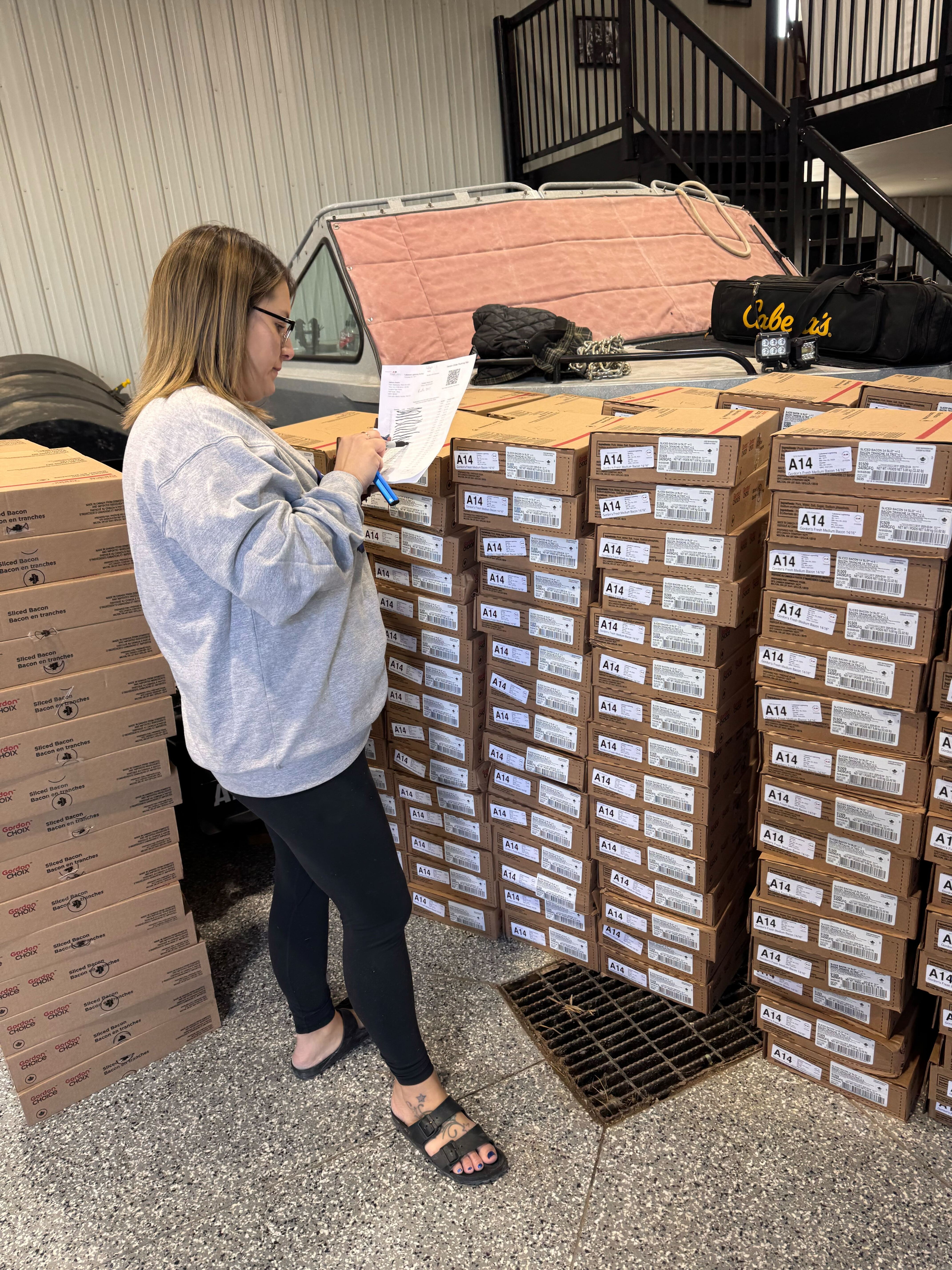
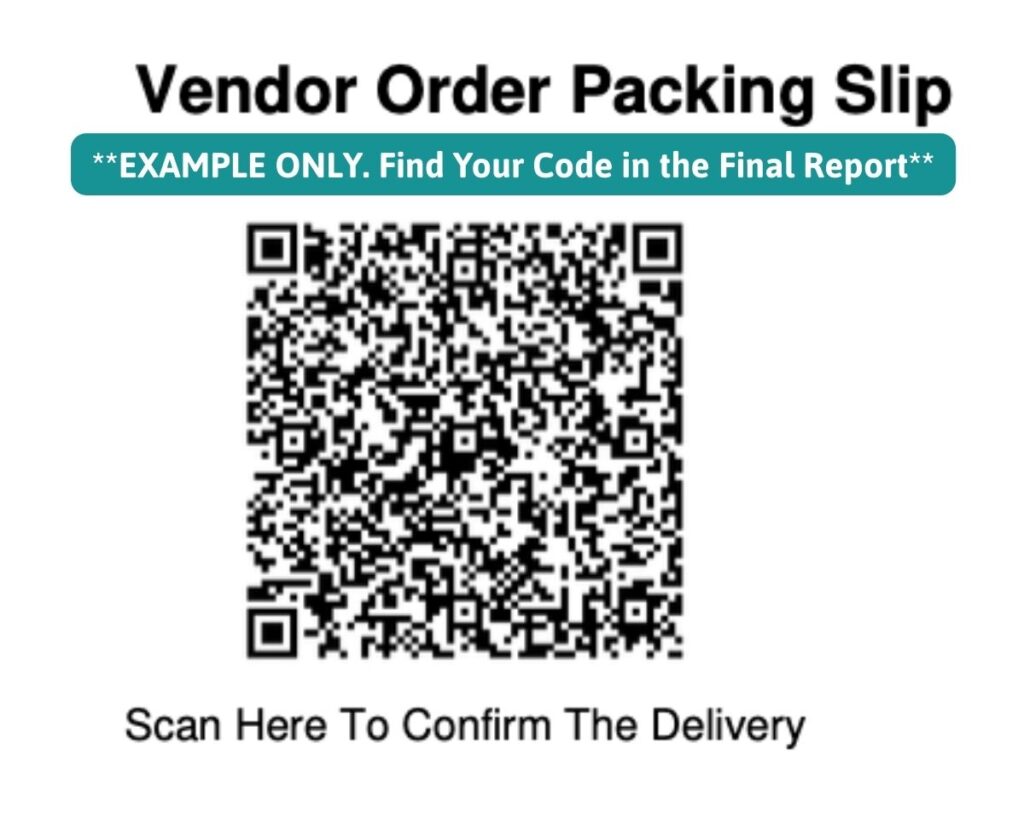
4. Once you have finished inventory → Don’t forget to scan the QR code! → Then the driver can leave while you complete the rest of the process.
Example QR Code (found on your packing slip)
⚠️ Have your Seller Pick Up Location OUTSIDE,easily accessible for vehicles and sheltered (if possible) – a large parking lot, arena, church, etc.
⚠️ Bring a table, some markers, and an empty bin/box (see Additional Supplies)
⚠️ Be sure to Dress Accordingly: It can rain or snow (-30 °C to +30°C)
📸 Scan the QR Code | Before the Driver Leaves
Before the driver leaves, scan the QR code at the top of Packing Slip B for EACH VENDOR that delivers to you to confirm the order.
⚠️ Scanning the QR code puts you in queue for payment. Please fill it out before assembling orders to prevent any delays in paying you out.
This can be done using any phone. The vendor will be listed to the left of the QR code on Packing Slip B.
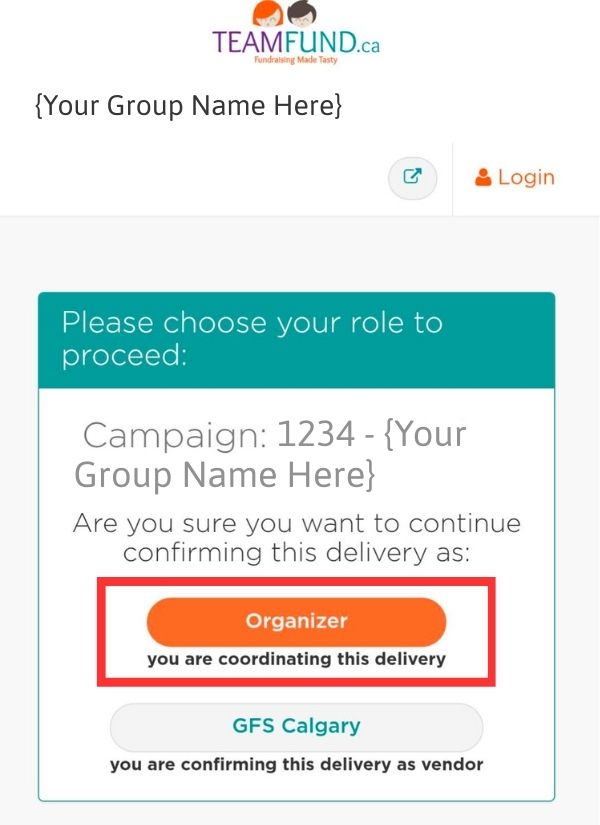
You will be taken to a page that looks like this:
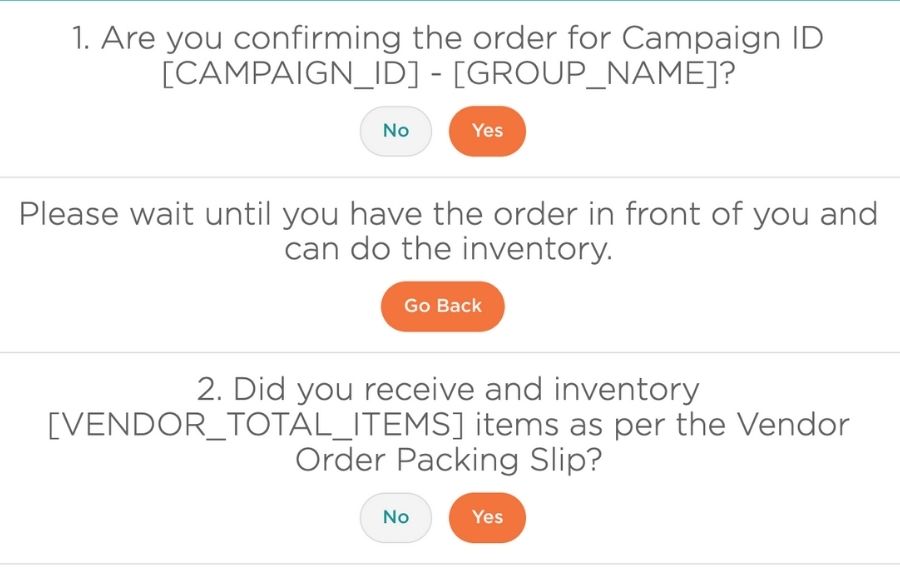
Answer the questions in the form about your delivery:
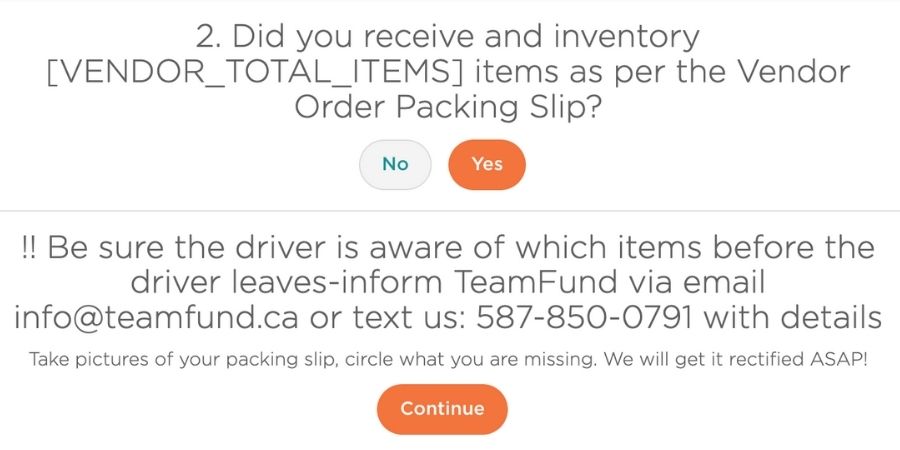
⚠️ We CANNOT replace any items if this form is not filled. If you did not receive all of your items, press “No,” notify the driver of which items are missing and inform TeamFund via email at info@teamfund.ca or send us a text at 587-850-0791
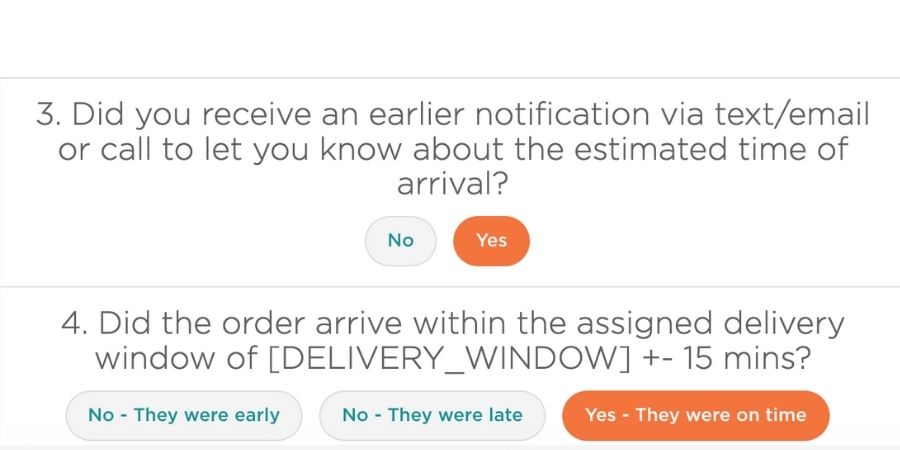
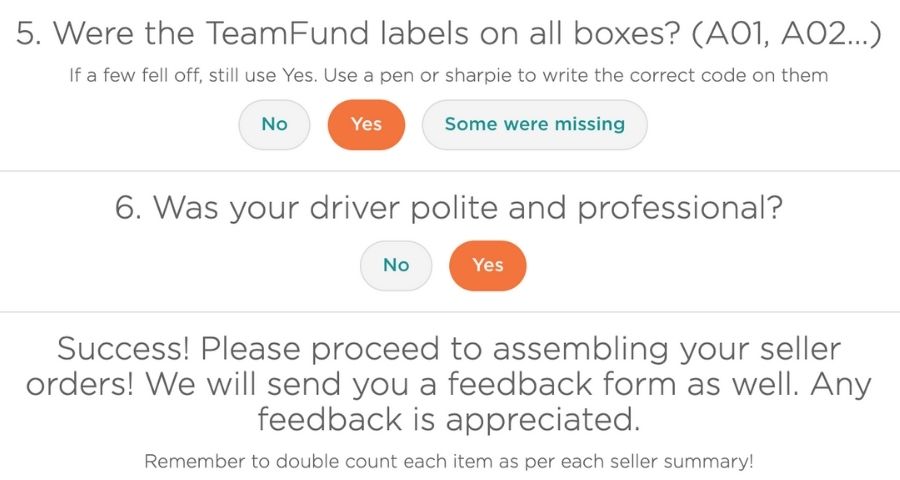
Once the QR Code form is complete, you can move on to assembling orders!
🛒 Step 3: Assemble Seller Orders | 10-20 minutes
After you have confirmed your inventory, it’s time to build each seller’s order.
⚠️ Be careful: Mistakes cost you time and money
How to Assemble Orders Efficiently
*Your inventory piles should be sorted and ready for volunteers to “shop” for each order!
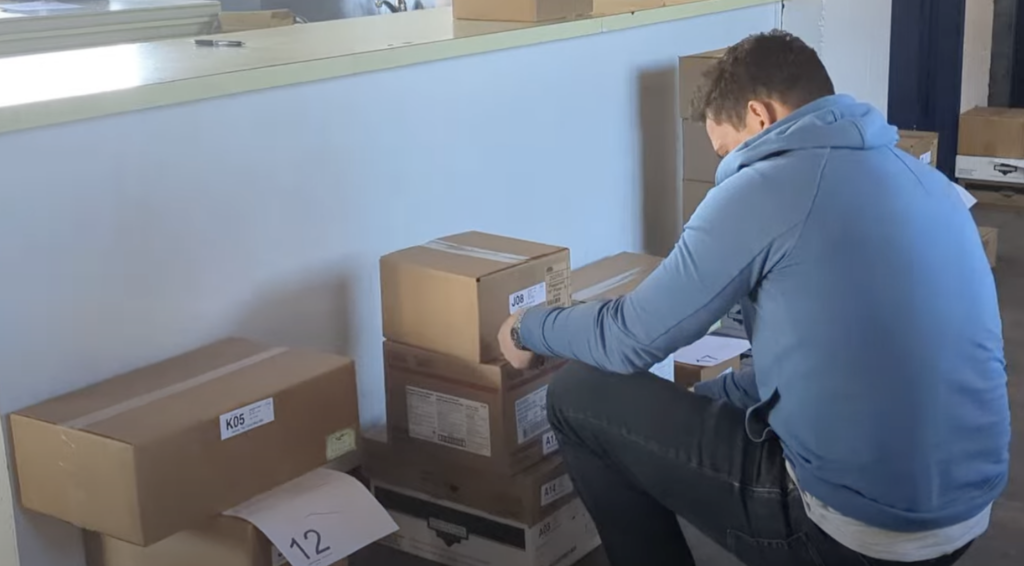
1. Each volunteer takes a Seller Summary
2. Assemble each order as per the Pickup Summary (left side of the report)
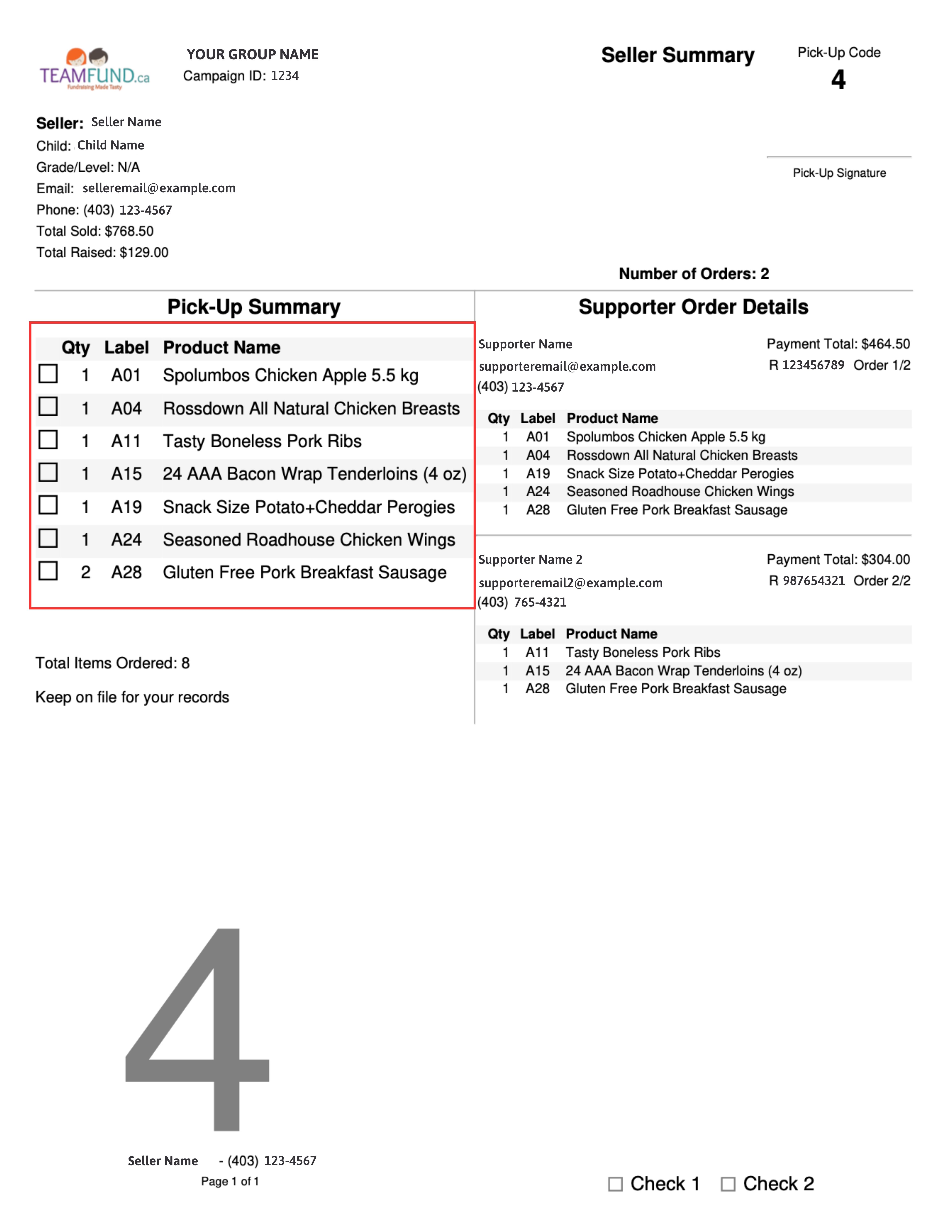
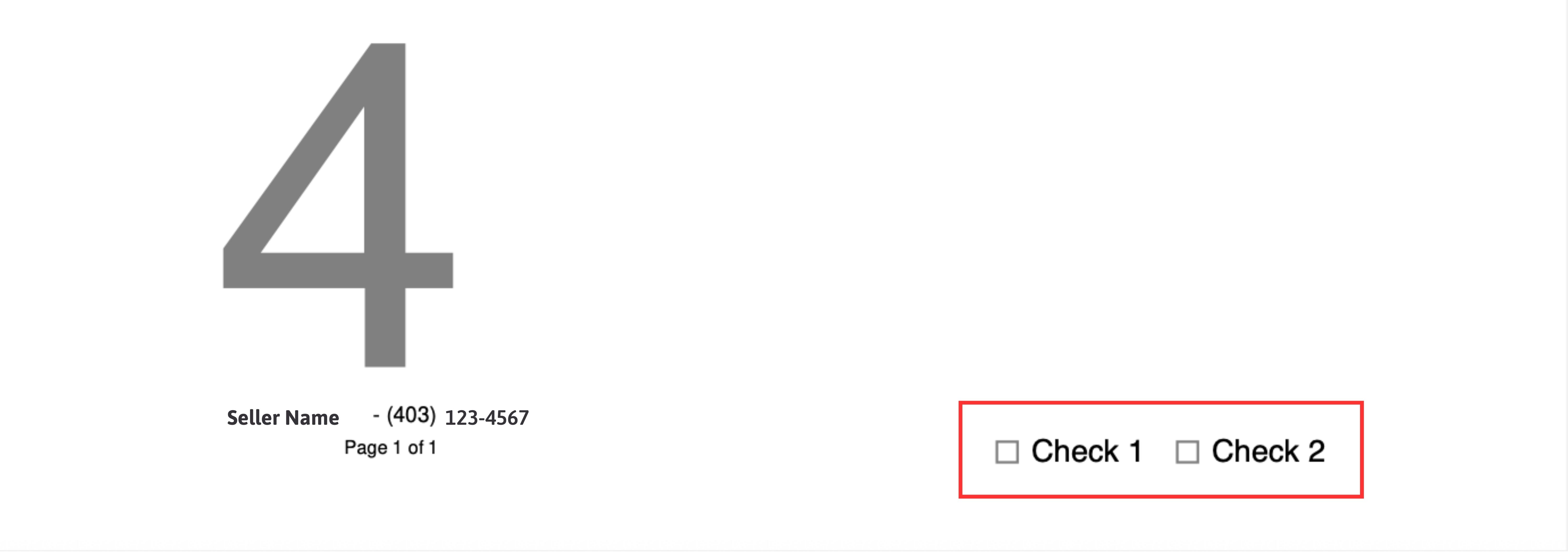
3. Lay out completed orders in numerical order (lowest to highest pickup code) – space orders as needed.
4. Place the Seller Summary between the boxes leaving the order number visible
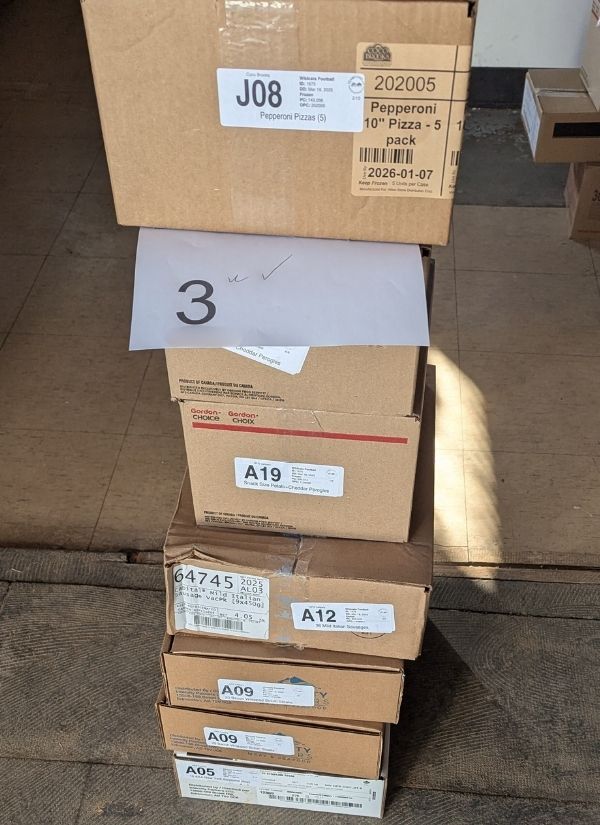
6. Repeat until all orders are assembled, and have two volunteers check each order to ensure it is accurate.
7. Once all orders are assembled, you’re ready for pick up!
⚠️ Do not start seller pick-up until all orders are assembled. This helps prevent mistakes.
🤝 Step 4: Distribute Seller Orders | 15-30 minutes
Done assembling early and want to email your sellers to notify them that their orders are ready?
Click the “Email Sellers” button inside your Dashboard.
⚠️ Sellers are reminded 3 times to gather their order. If someone is late, you can call them using the phone number provided on the seller report.
1. Have one person at the “Check In Area” with your Final Report and Seller Index
2. Sellers “Check In” by providing their Pick Up Code (printed, on their phone, or verbally) – the ID on the left side.
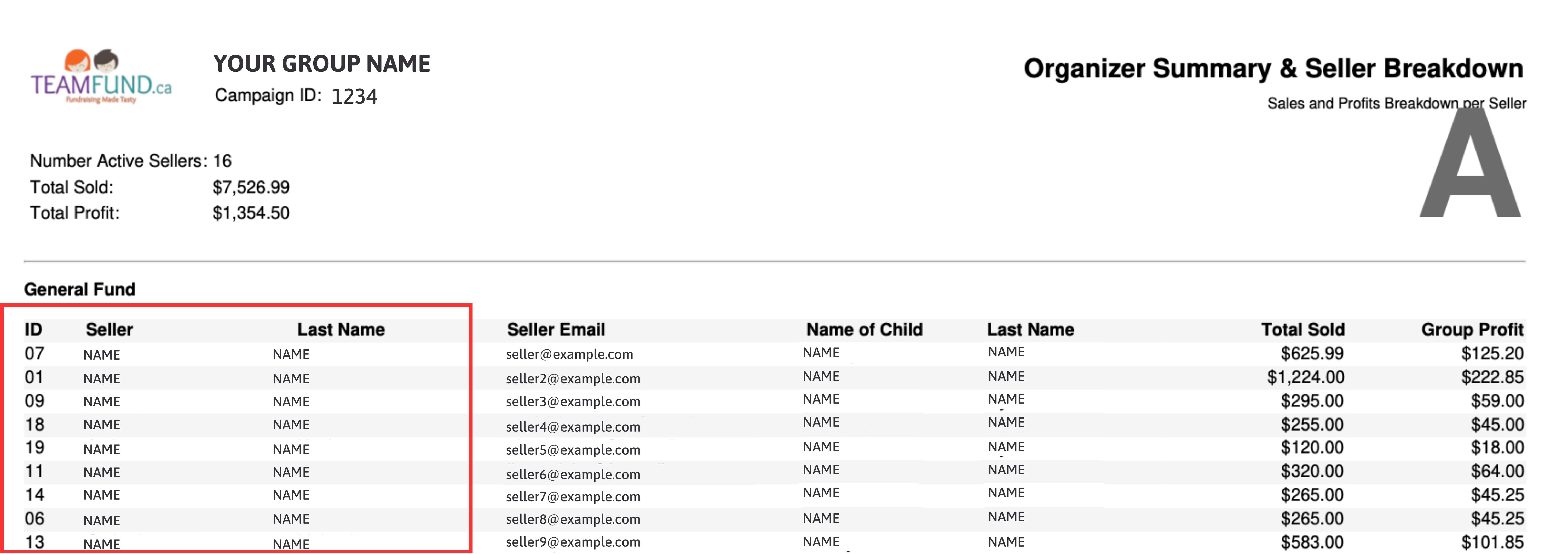
3. Share this code with a volunteer.
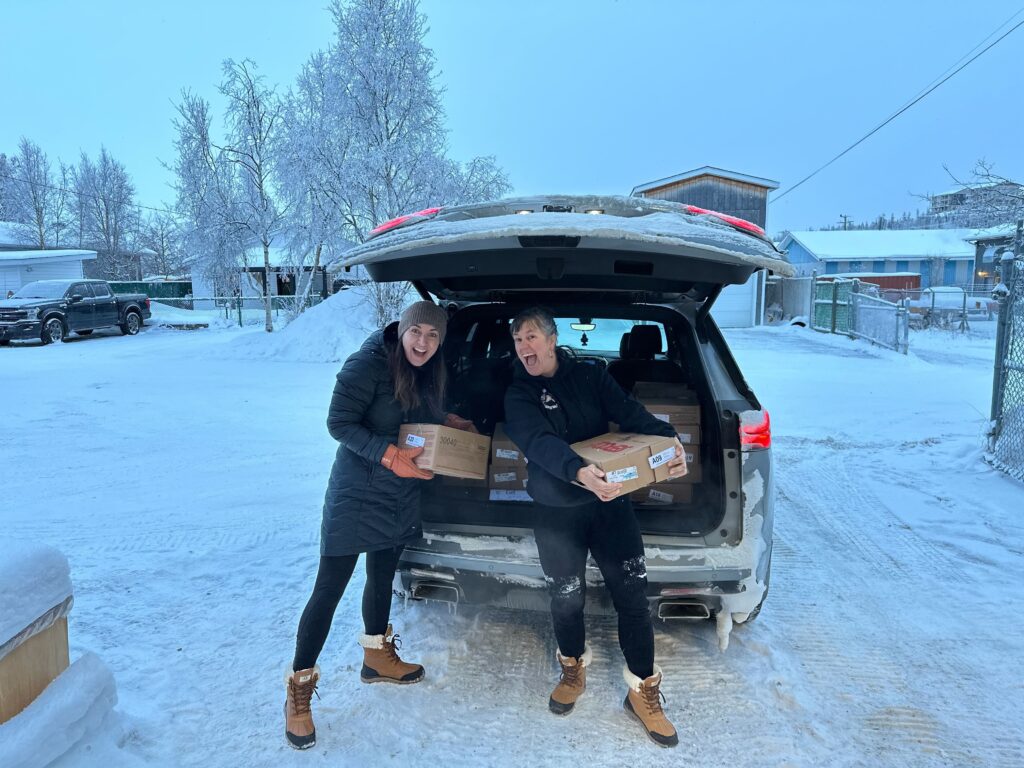
4. The volunteer collects the already assembled order and hands it to them or places it in their trunk – repeat to the seller the products they are getting. *Keep the seller summary
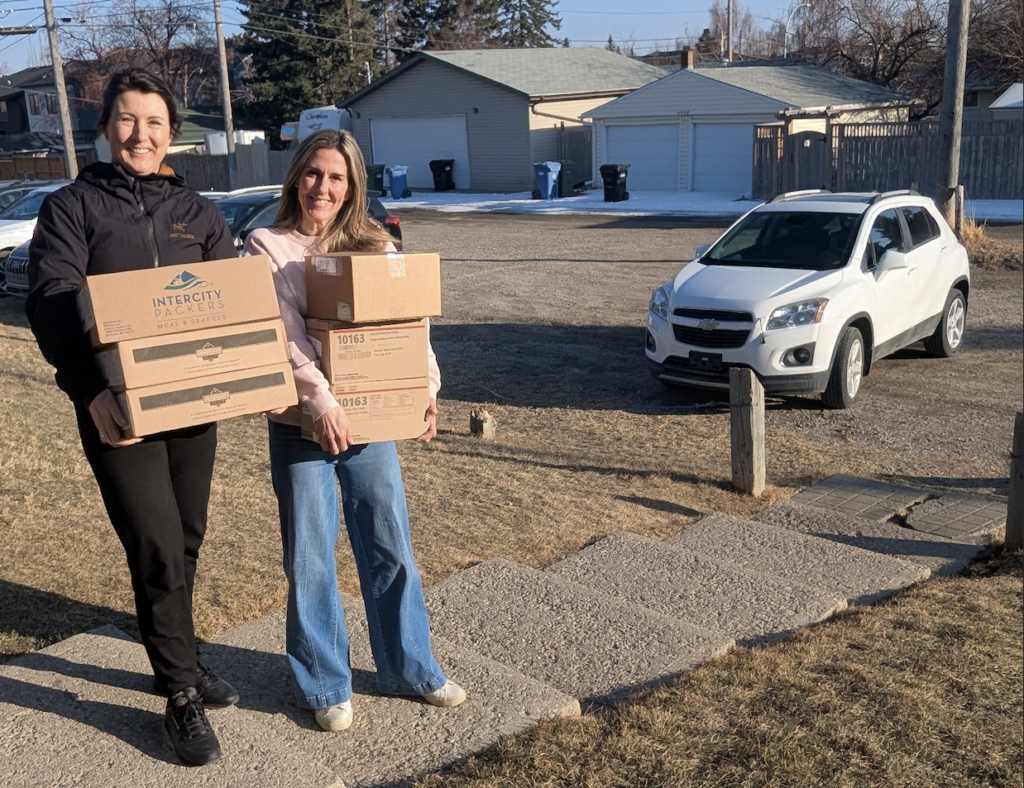
5. Repeat this process until all orders are picked up.
⚠️ If a Seller can’t remember or locate their code, refer to Buyer Index C
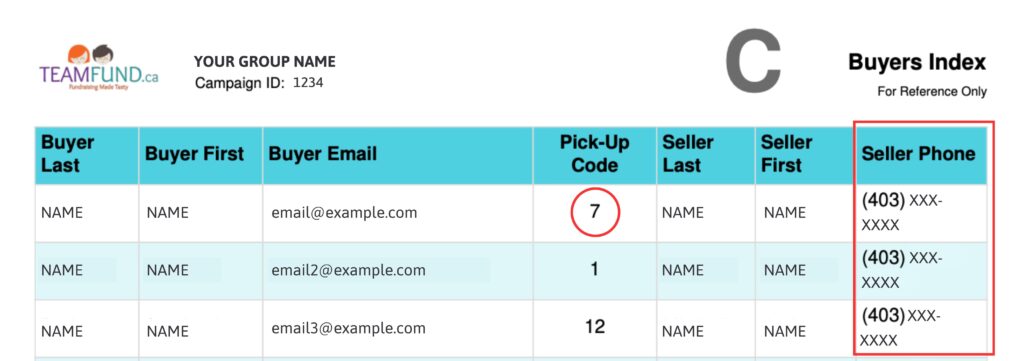
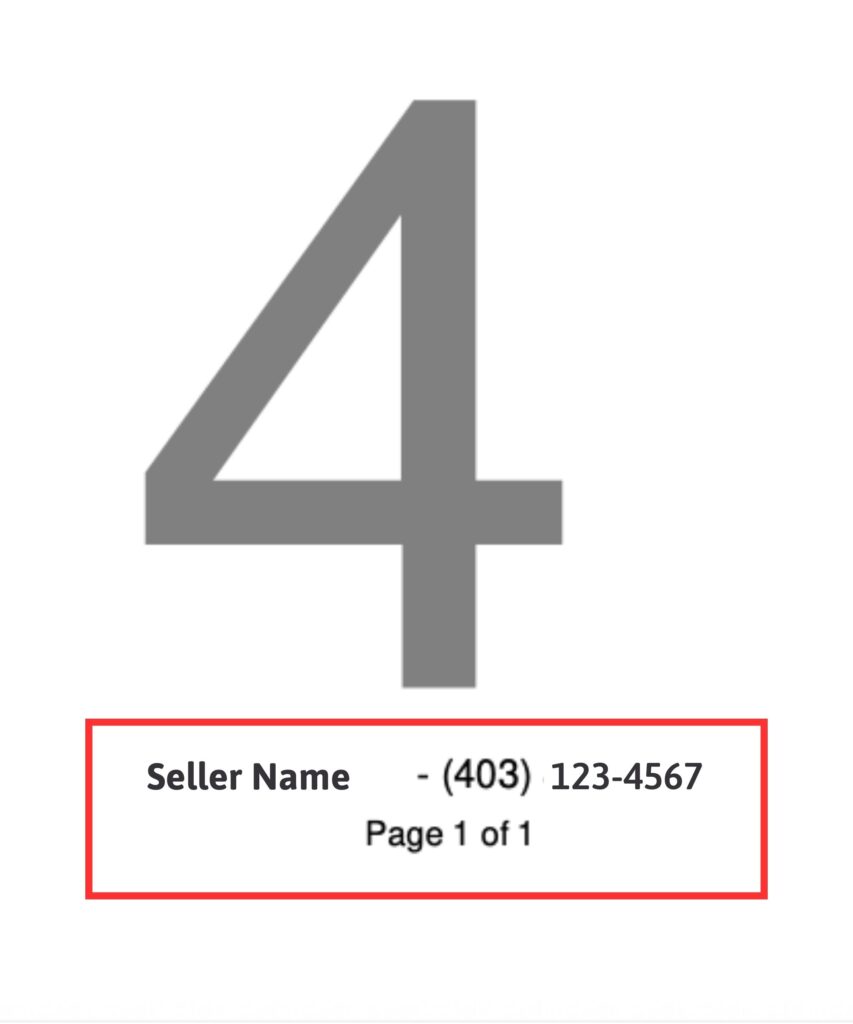
⚠️ Seller hasn’t shown up? You can find their phone number in the Buyer Index C under “Seller Phone” (see above) OR on the Seller Summary.
❓ Missing an Item? | What to Do
⚠️ All orders are considered FINAL once the driver leaves. If something is missing, follow these steps or we cannot replace the item(s).
If you did not receive all of your items:
- Select “No” in the QR code questionnaire
- Notify the driver of which items are missing
- Inform TeamFund via email (info@teamfund.ca) or send us a text at 587-850-0791
❓ Driver Hasn't Arrived | What to Do
We do our best to ensure everyone in Zone 2-5 receives a phone call to narrow their delivery window.
In rare cases, due to weather, road conditions, truck issues, or service deadzones, a call may not come through.
If you do not receive a call and your delivery window has passed:
- Email us at info@teamfund.ca
- Text us at 587-850-0791
We are here to help and will get you updated as quickly as possible.
💰 How and When you Get Paid | Adding Payment Details to Your Campaign
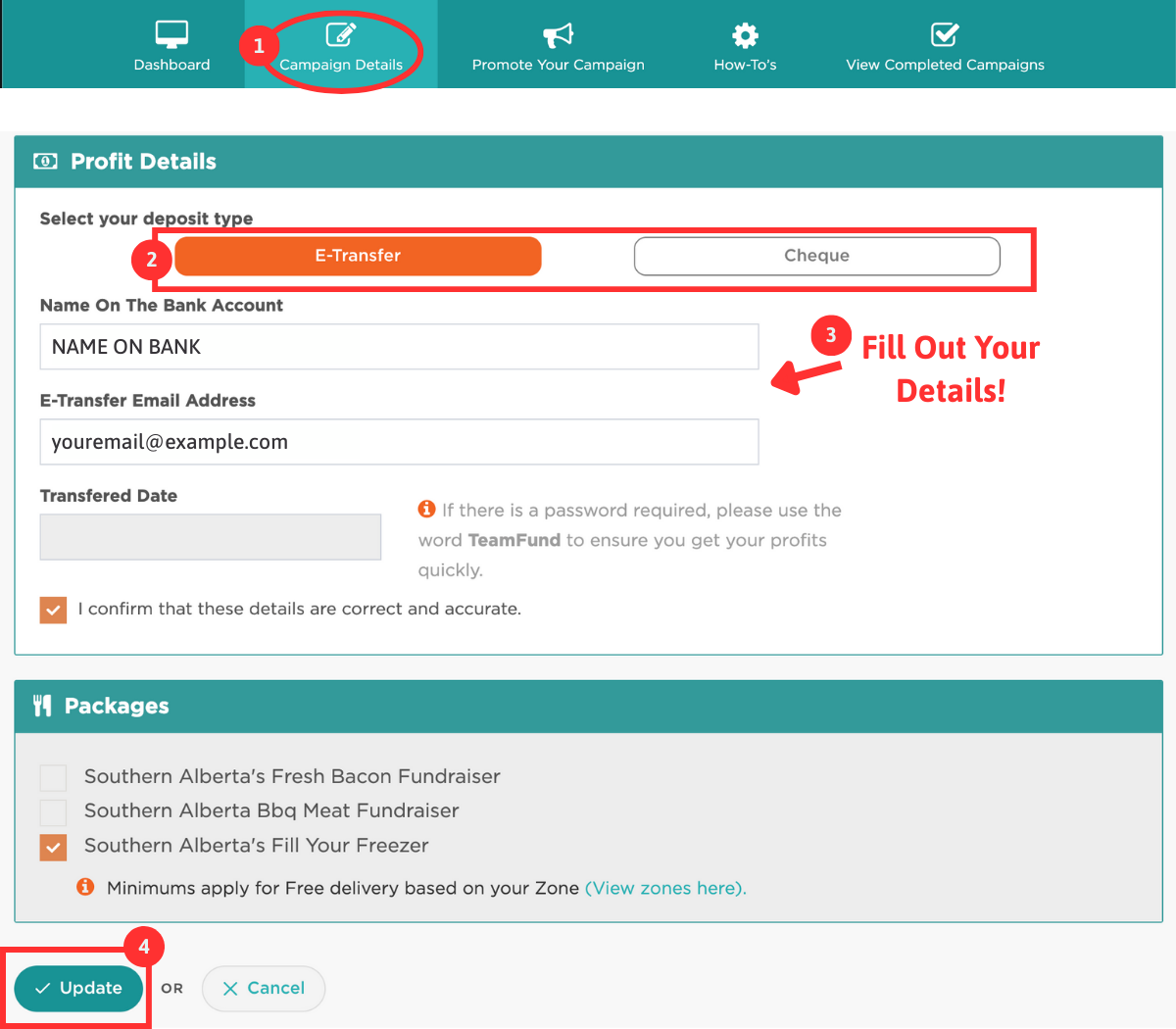
Once you scan the QR code on your packing slip, you are added to our queue to get paid in whichever method you prefer.
Payments are made 2-4 business days AFTER your delivery has occured.
You can get paid via mailed cheque OR e-transfer.
To update your preference, log into your dashboard
- Click on Campaign Details and scroll to Profit Details
- Choose from CHEQUE or E-TRANSFER
- Fill out the relevant details
- Click UPDATE at the bottom
TeamFund Responsibility vs. Your Responsibility
TeamFund Responsibilities
- Delivery from our vendor to your outdoor pickup location (we do not go inside)
- Providing you a downloadable and printable version of your Final Report
- Due to insurance, equipment, and restrictions, drivers are ONLY responsible for delivering items to your location
- Delivery notifications and reminders
You are responsible for:
- Providing volunteers
- Choosing a safe, accessible pick-up area
- Printing your Final Report and Seller Summaries *single-sided
- Counting Inventory and Confirming Order via QR Code
- Assembling Seller Orders for Pick-Up
- Running Seller Pick-Up and Contacting Late Sellers
- Provide equipment if moving the order inside
🎉 You’re Ready for a Smooth, Stress-Free Seller Pick Up Day!
- Still Have Questions? SCHEDULE A CALL – we’re here to help.
- Have Feedback? Fill out a feedback form and let us know what you loved and how we can improve
- Loved Your Experience? Leave a Google Review
Thank you for partnering with TeamFund, and we hope to work with you again soon!